
AI tools are slowly becoming a part of daily life. Many people already use them without even realizing it. From writing messages to finding information, AI helps make everyday work easier and faster.

The best part is that using AI does not require technical knowledge. to use AI tools. You do not have to be a computer expert or learn coding. If you can use a phone, send messages, or search on Google, you can use AI tools.
This guide is written for people who want to understand AI in a simple and practical way. By reading this article, you will learn what AI tools are, how they fit into daily life, and how you can start using them step by step with confidence.
What Are AI Tools
AI Tools Explained in Simple Words
AI tools are digital tools that help people complete everyday tasks more easily. These tools are designed to understand simple instructions and provide helpful results. No technical knowledge or special skills are required to use them.
In daily life, AI tools help save time and effort. They can assist with writing messages and emails, explaining topics in simple words, summarizing long information, planning daily tasks, and organizing work. By handling small and repeated tasks, AI tools make daily life smoother and less stressful.
For example, a student can use an AI tool to understand a difficult topic or summarize notes. A shopkeeper can use it to write offer messages or product descriptions. An office worker can use AI to draft emails or organize daily tasks. A homemaker can use AI to plan daily work or write simple messages. A job seeker can use AI to improve a resume or prepare for interviews.
AI tools are made for normal people and real-life situations. They save time, reduce effort, and make everyday work easier and more organized.
Common Misunderstandings About AI
Many people have misunderstandings about AI, which is why they hesitate to use it. One common belief is that AI is only for experts or technical people, but this is not true. AI tools are designed for normal users and can be used without any special skills.
Another fear is that AI will replace humans or take away jobs. In reality, AI does not replace people. It helps by handling small and repeated tasks so that users can focus on more important work. Many beginners also think AI tools are difficult to use, but most tools are very simple.
You only need to type what you want, and the tool provides help. There is no coding, no setup, and no complex process. Once these misunderstandings are cleared, AI becomes much easier to accept and use in daily life.
Why Beginners Should Use AI Tools
How AI Tools Make Daily Life Easier
AI tools help simplify daily routines and reduce unnecessary effort. Today, most people handle many tasks with limited time. AI supports this by speeding up routine work and reducing the mental load of small decisions.
Tasks such as writing messages, planning activities, or understanding information become easier and more organized. This helps users feel more confident and less stressed.
With regular use, AI tools help people manage daily work more smoothly and focus their time on things that matter most.
Who Can Benefit from AI Tools
AI tools are useful for many different people, not just one type of user. Students can use AI to understand lessons, prepare notes, and study more easily. Office workers can use AI to write emails, plan tasks, and manage daily work.
Freelancers can use AI to organize their work, improve writing, and save time. Shopkeepers and small business owners can use AI to create messages, offers, and ideas for customers. Everyday users can also use AI to handle simple tasks, learn new things, and manage time better.
AI tools are helpful for anyone who wants to make daily life easier and work more efficiently.
Easy of Use and Learning Curve of AI Tools
Are AI Tools Beginner-Friendly
AI tools are very easy to use, even for beginners. They are designed with simple layouts, so users do not feel confused. There is no need for coding or technical setup. Most tools only require users to type a question or request and provide helpful answers instantly.
People can start using AI tools from the very first day. Simple actions like asking a question, writing a short message, or planning a task feel natural. With regular use, users quickly understand how to get better responses, making AI feel like a normal part of daily life rather than something new or confusing.
What Beginners Can Expect While Learning
When beginners start using AI tools, the first experience usually feels simple and interesting. At the beginning, users may feel curious or slightly unsure, but this feeling goes away quickly. Most AI tools are easy to understand, allowing beginners to use them from the first day.
As users practice, they become comfortable very quickly. They learn how to ask better questions and receive better results. With regular use, confidence grows naturally. There is no pressure to learn everything at once. Even small daily use helps beginners understand how AI tools work and how they fit into everyday life.
Learning AI is not stressful. It is a gradual process, and practice makes it easier over time.
Practical Daily-Life Use Cases of AI Tools
Writing and Communication
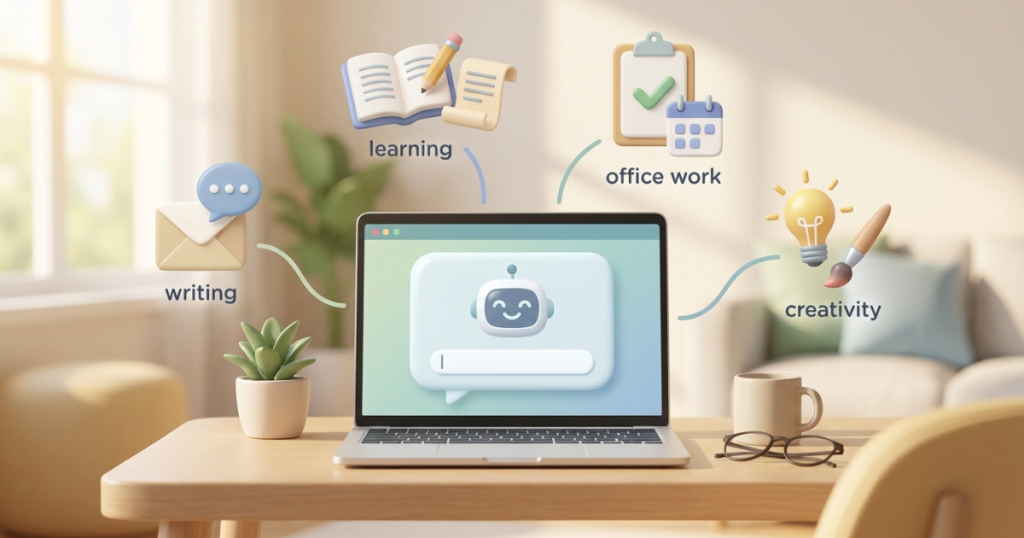
AI tools are very helpful for writing and communication. Many people find it difficult to write clear messages or emails. AI tools make this work easier and faster.
Beginners can use AI to write messages, emails, or short notes in a clear and polite way. By typing what they want to say, AI helps turn ideas into proper sentences. This is useful for both personal and work communication.
AI tools can also help improve grammar and sentence structure, making messages easier to read and understand. When users are unsure how to start writing, AI tools provide a simple starting point.
For beginners, this reduces stress and builds confidence. Tasks like replying to messages, writing emails, or creating short content become simple and comfortable.
Learning and Studying
AI tools are very useful for learning and studying, especially for beginners. Many students and learners find it difficult to understand topics or manage study material. AI tools help make learning easier and less stressful.
Beginners can use AI to explain topics in simple words. When a lesson feels confusing, AI can break it into easy points. AI tools can also summarize long chapters, notes, or articles, saving time and helping with quick revision.
AI tools support learning at a comfortable pace. Users can ask the same question again without pressure. This makes studying easier and builds confidence over time.
Office and Work Tasks
AI tools are very helpful for office and work-related tasks. Many people spend a lot of time writing documents, planning work, and managing daily tasks. AI tools make this work easier and more organized.
Beginners can use AI to write reports, notes, and simple documents. AI tools can also help plan daily tasks and create to-do lists, which improves time management. When work feels overloaded, AI helps break it into clear and simple steps.
AI tools also reduce small mistakes and make work look more professional. For beginners, this results in less pressure and more confidence at work.
Creativity and Design
AI tools are also useful for creativity and design work. Many beginners feel they are not creative or do not know how to start. AI tools help by providing ideas and simple designs.
Beginners can use AI to create social media posts, short captions, and simple visuals. AI tools can suggest colors, layouts, and content ideas, making creative work less stressful and more enjoyable.
For those who need quick ideas or designs, AI tools save time and effort. With regular use, beginners gain confidence and feel comfortable exploring creativity.
Step-by-Step Guide for Beginners to Start Using AI
Step 1 – Start with Free AI Tools
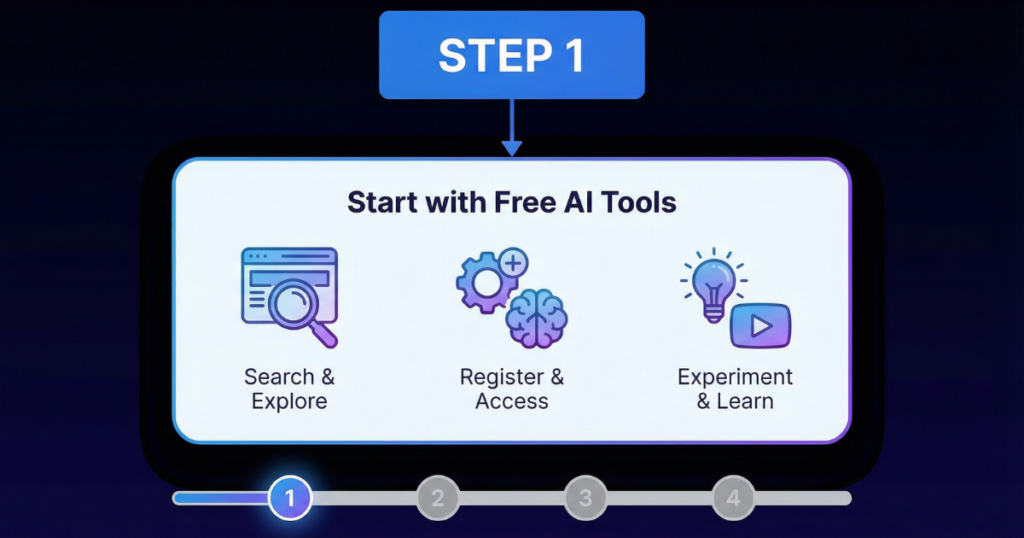
When beginners start using AI, it is best to begin with free AI tools. Free tools allow users to learn and explore without pressure or cost. They help beginners understand how AI works and how it supports daily tasks.
Starting with free tools also removes fear of making mistakes. Beginners can slowly build confidence before deciding whether advanced or paid options are needed.
Step 2 – Choose One Task at a Time
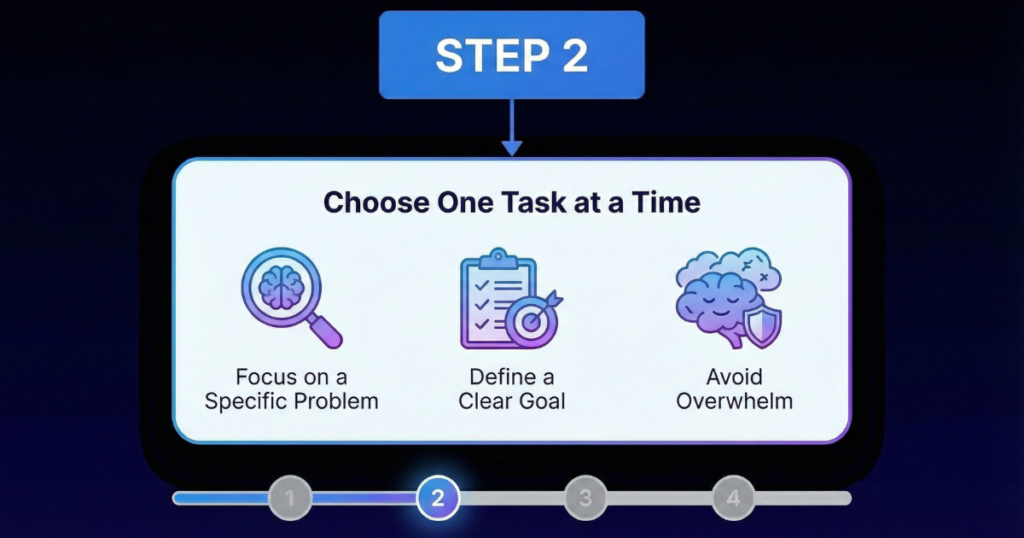
Beginners should focus on one task at a time. Trying to use AI for many tasks at once can feel confusing. Starting small helps users understand how AI works without pressure.
Once confidence is built with one task, beginners can gradually explore other uses.
Step 3 – Give Clear Instructions
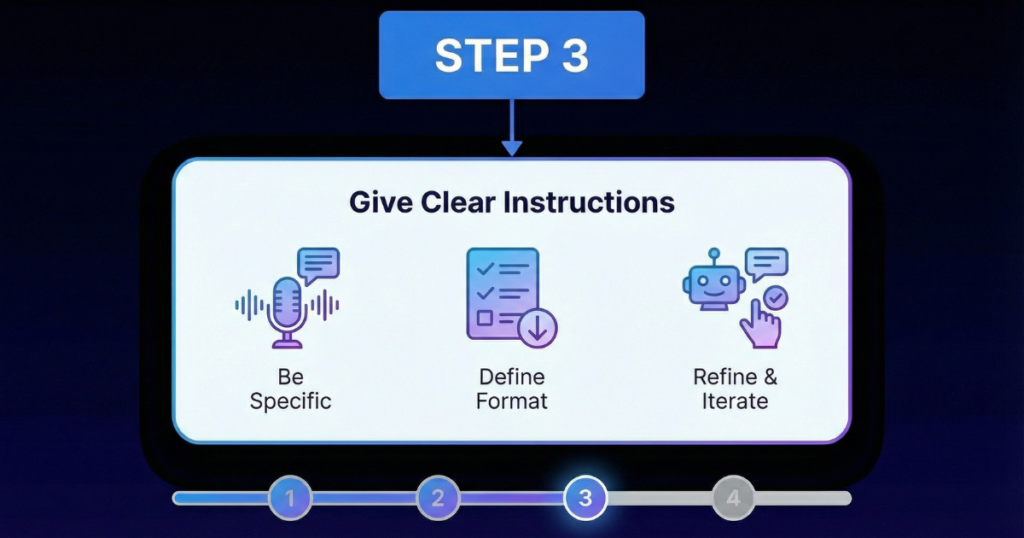
Giving clear instructions is very important when using AI tools. Clear and simple instructions help AI provide better results.
Beginners should use short sentences and direct language. If the result is not perfect, they can adjust the instruction and try again. With practice, giving better instructions becomes easy.Step 4 – Review and Improve the Output
Step 4 – Review and Improve the Output
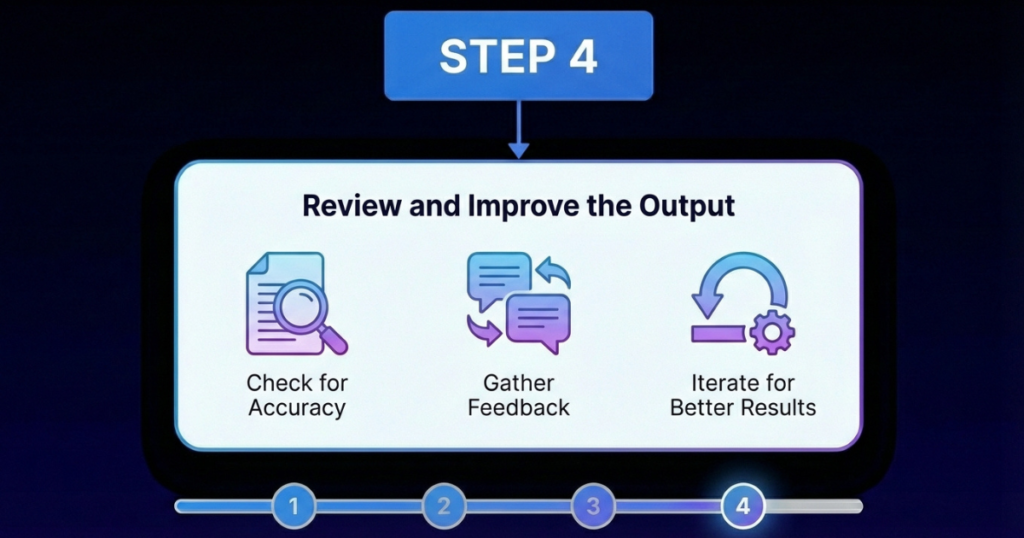
After receiving results from an AI tool, beginners should review them carefully. AI is helpful but not always perfect.
Making small edits, adding personal touches, and correcting mistakes improves accuracy. Reviewing results also helps beginners learn faster and use AI tools more confidently.
Different Ways Beginners Can Use AI Tools
Beginners can use AI tools in more than one way. The right way depends on how comfortable you feel and what kind of work you want to do. There is no need to rush. Starting slowly helps you understand AI better and use it with confidence.
Using One AI Tool at a Time
Using one AI tool at a time is the best option for beginners. It helps you stay focused and avoid confusion. When you use only one tool, you can clearly see how it works and what it can do. This makes learning easier and less stressful.
This method is helpful when you are just starting out. You can use the tool for simple tasks like writing messages, learning topics, or planning daily work. The limitation is that you may not get many features, but it keeps things simple and clear, which is more important in the beginning.
Using Multiple AI Tools Together
Using multiple AI tools together is something beginners can try after gaining some experience. This approach is useful when you want help with different types of tasks. One tool may help with writing, while another may help with planning or creativity.
However, it is important to stay organized and not rush. Using too many tools at once can feel confusing. Beginners should take it step by step and use each tool with a clear purpose. With time and practice, this approach can become very helpful and efficient.
Common Mistakes Beginners Should Avoid
When beginners start using AI tools, the biggest problem is not the tool — it is how the tool is used. Most disappointments with AI come from small mistakes that are easy to avoid if you know what to look out for.
The first mistake is relying completely on AI. AI is powerful, but it does not think like a human. It gives suggestions, not final decisions. If you blindly trust everything AI says, you may end up with wrong information or weak results. The best way to use AI is to treat it like an assistant. Let AI do the heavy work, but always apply your own thinking before using the output.
The second mistake is copy-pasting AI output without editing. This is a very common beginner habit. AI gives a good starting point, but the content often needs small changes. You should always read the output, fix the tone, add your own words, and remove anything that does not sound natural. Edited content looks more real, more accurate, and more professional.
Another big mistake is trying too many AI tools at once. Beginners often jump from one tool to another, hoping to find the “best” one. This only creates confusion. The smarter approach is to pick one tool, learn it properly, and use it daily. Once you understand how AI works, switching or adding tools becomes easy.
Avoiding these mistakes will save you time, reduce confusion, and help you get real value from AI. AI works best when it is used with patience, practice, and common sense.
Pros and Cons of Using AI Tools in Daily Life
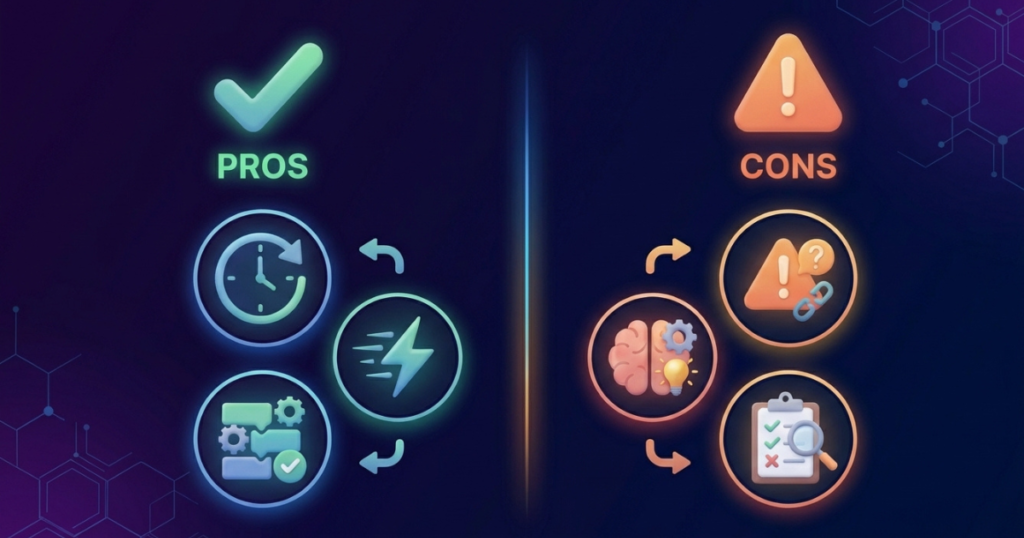
AI tools are becoming part of everyday life. They help people work faster and handle daily tasks more easily. But like any tool, AI has both benefits and limits. Understanding both helps you use AI in a smart and safe way.
Advantages of Using AI Tools
One of the biggest advantages of AI tools is that they save time. Tasks like writing messages, planning work, or finding information can be done much faster. This helps people focus on more important things instead of spending time on small, repeated tasks.
AI tools are also easy to use. You do not need technical knowledge or training. Most tools work by simply typing what you need. This makes AI useful for students, working professionals, and everyday users.
Another benefit is better productivity. AI helps you stay organized, reduce small mistakes, and complete work more smoothly. When work becomes easier and faster, you can get more done with less stress.
Disadvantages of Using AI Tools
AI tools are helpful, but they are not perfect. Sometimes the results may not be accurate. AI can give wrong or incomplete information, which is why checking the output is important.
Another important point is that human judgment is still needed. AI does not understand situations like humans do. Final decisions, creativity, and thinking should always come from you. AI works best when it supports your work, not replaces it.
Tips for Beginners to Use AI Tools Confidently
AI tools can feel new at first, but using them becomes easy when you follow a simple way. Whether you are just starting or already use AI sometimes, these tips will help you use AI with confidence.
Start with small tasks. Beginners can use AI for writing messages or understanding topics. Intermediate users can use it for planning work or improving content. Starting small helps avoid confusion and makes learning easier.
Try to use AI regularly. You do not need to spend much time. Even a few minutes of daily use helps you understand how AI works and gives better results over time.
Always use AI as a helper. AI supports your work, but you should always read and check the results yourself. Your thinking and decisions are important.
Keep learning new ways to use AI slowly. Beginners can try new tasks one by one, and intermediate users can explore more options. Step-by-step learning helps AI become a useful part of daily life.
Frequently Asked Questions (FAQs)
Is AI confusing for someone using it for the first time?
Not really. Most AI tools are made to be simple. You just type what you need, and the tool responds. After a few tries, it starts to feel easy.
Will using AI make me lazy or too dependent on it?
No, not if you use it correctly. AI is meant to support you, not replace your thinking. As long as you review the output and make your own decisions, AI actually helps you work smarter, not lazier.
Can I use AI even if my English is not good?
Yes. You can write in simple English, and AI will still understand you. You can also ask AI to simplify text or correct sentences, which actually helps improve your English over time.
Do I need technical knowledge to use AI tools?
No. AI tools are designed for everyday users. If you can use a phone, type messages, or search on Google, you can easily use AI tools.